

How to Block Emails in Gmail 2024?
Last Updated on May 5, 2025 by Jim C.
Are you face the same problem with your Gmail account as me? It was a few days ago when I got more spam types message on my Gmail account.
Actually, anyone who got my mail address and gives me more than 10 emails per day. It was more painful for me because I am not interested in this service. So need to know How to Block Emails in Gmail?
It is not enough to just mark this types of mail as spam. You can use filters to move emails to junk folder but Google filters aren’t 100% effectively works all times. You can block emails from a particular sender for feeling good user experience.
Today I’ll show you, how to block someone on Gmail? With this 5 easy steps, that will only take you minimum time to finish up.
Block Emails in Gmail
Three easy action involves if you want to block someone on Gmail.
- Need to open a message comes from the sender.
- Go to dropdown menu and select “Block (Sender Name)”
- Confirm the email address to block.
How to Block Emails in Gmail – 5 Steps with Screenshots
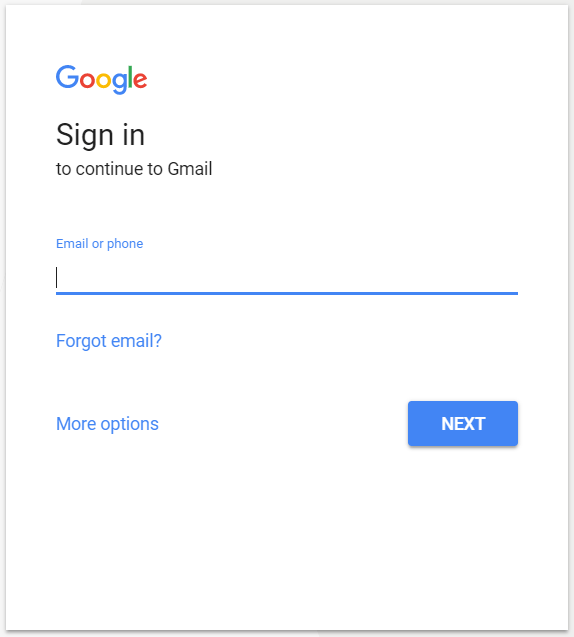
Step 01: Login your Gmail account.
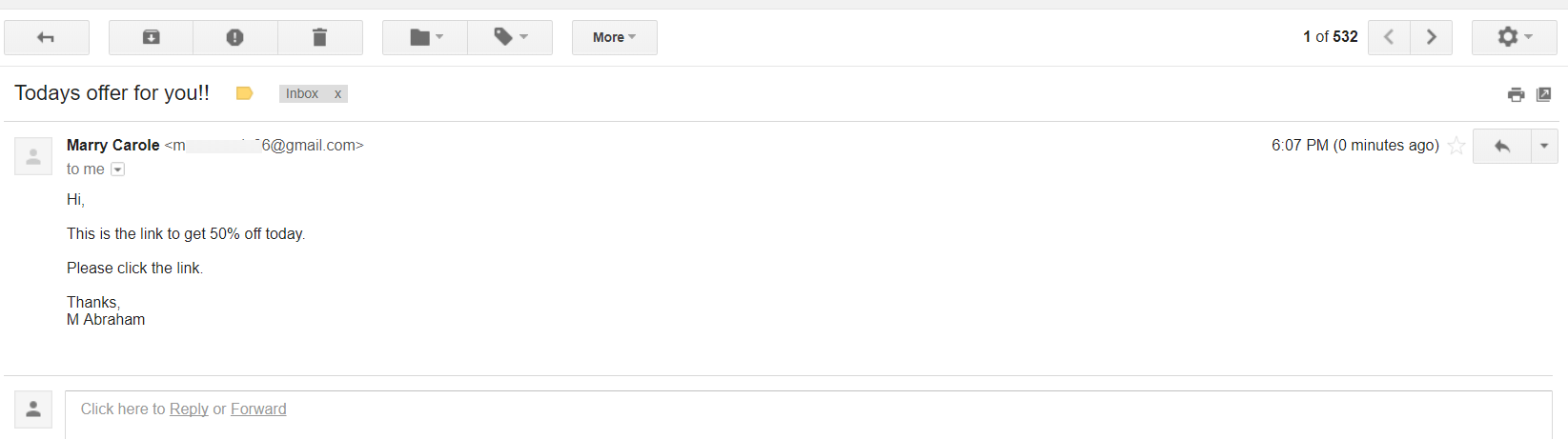
Step 02: Open a message from the sender that you wish to block.
You can also search by this person’s name in the box at the top.
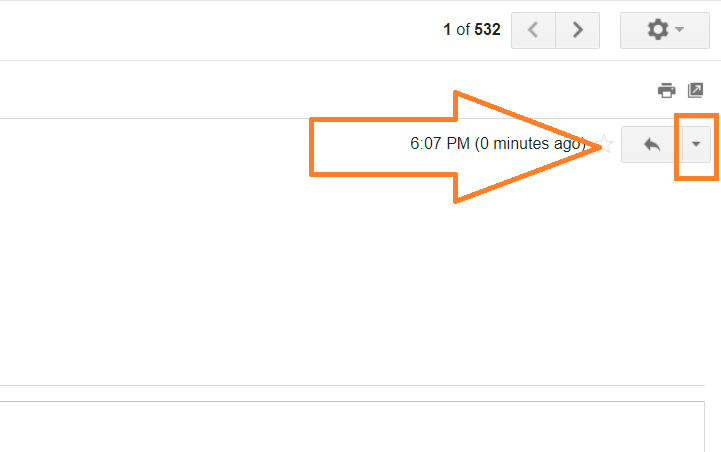
Step 03: Click the More button, beside the Reply button in the message’s header area.
Step 04: From this drops down, click Block “Sender Name”
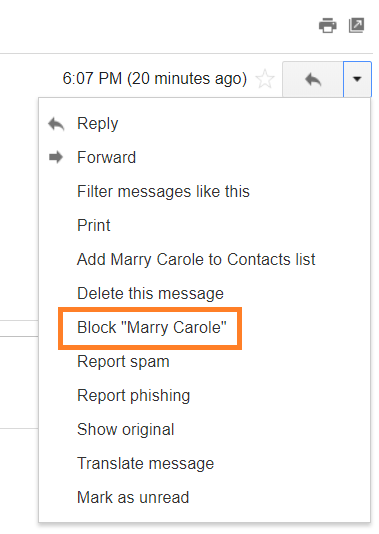
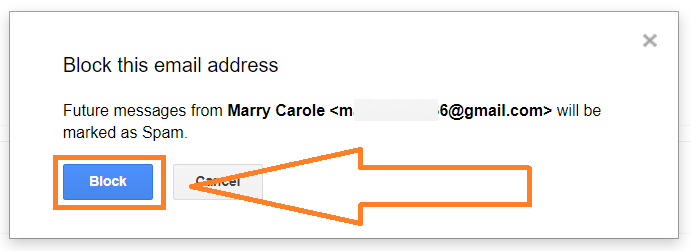
Step 05: Press “Block” button to confirm.
Related Articles:
About the Author Jim C.
Jim C. Clark is the lead tech blogger at TechnoHacks.net, where he delivers insightful content across a wide range of digital topics. With a keen interest in emerging technology and practical tools, Jim writes in-depth articles on AI, Python, software, and the latest apps. He also shares expert advice on freelancing, digital marketing, SEO, and business growth strategies. Known for his clear, engaging writing style, Jim breaks down complex concepts into actionable insights. Whether he's recommending the best free tools 🧰 or explaining “how to” guides, Jim’s goal is to empower readers with the knowledge they need to thrive in the digital world.