Jim C.

Author Archives: Jim C.

Jim C. Clark is the lead tech blogger at TechnoHacks.net, where he delivers insightful content across a wide range of digital topics. With a keen interest in emerging technology and practical tools, Jim writes in-depth articles on AI, Python, software, and the latest apps. He also shares expert advice on freelancing, digital marketing, SEO, and business growth strategies. Known for his clear, engaging writing style, Jim breaks down complex concepts into actionable insights. Whether he's recommending the best free tools 🧰 or explaining “how to” guides, Jim’s goal is to empower readers with the knowledge they need to thrive in the digital world.
How to Make a Brochure on Google Docs in Two Ways?

On Google Drive, there are two ways of making a brochure using Google Docs. First is from the Template Gallery, you can download a brochure template and customize it. Utilizing templates means the fastest and the easiest way. Second, you can make a brochure from scratch. Opting for the latter, the challenges would be placing […]

Continue Reading

How Do I Check My Yahoo Mail Inbox?

Emails are essential in our lives, especially for our respective works. It gives fast, efficient and complete communication. It shortens time and distance between people; that is why it is so important. Accessing the internet is not a problem anymore. We can use our mobile phone’s data option to connect to the internet instantly. If […]

Continue Reading

How to Reset a Desktop Background?

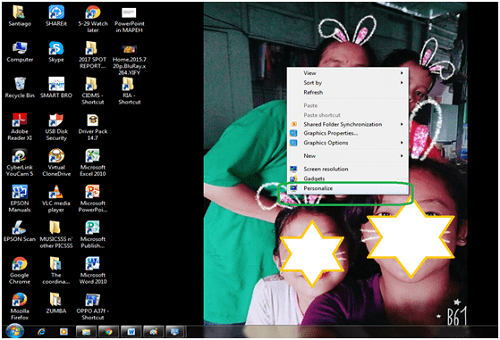
Changing or resetting our desktop backgrounds is fun. Photos can look boring if they are there for a long time. Our eyes would welcome a new one most of the time. Here’s how to reset desktop backgrounds: 1) Click the Start button to look for the Control Panel in your pc. OR you may use right-click option at the […]

Continue Reading

How to Delete a Saved Username on the AOL Login Page?

Regular users of AOL Desktop for internet browsing, instant messaging and emailing can save sign-in time. It can be done by setting the application to remember username/ screen name. No matter how many users sign-in, all the AOL Login screen names used will be saved for future access. However, for those who access it on […]

Continue Reading

How to Access a Ymail Account?

Have you wondered why we can access Ymail when we are in a yahoo website? A most common question that comes to mind is: Are yahoo mail, RocketMail and Ymail the same? The answer is YES! They are all owned by Yahoo! and the management gave Ymail and RocketMail as alternate to yahoo.com (yahoo-dot-com) email […]

Continue Reading

How to Convert Int to String in Python?

Other programming languages may implicitly typecast integers to strings when concatenating with strings. Well, Phyton does not. Phyton has a handy built-in function “str” that converts the argument passed in to a string format. Convert Int to String in Python In other words, “str” (string) function is used to convert int to string phyton. By […]

Continue Reading

What Is Win32 Malware.Gen?

Win32: Malware-gen is a computer virus written in Assembly Language that is generically designed to detect a Trojan Horse virus on a Windows computer. It has the capacity to rebuild itself. Its other names are Trojan and Simile but because of its rebuilding ability, it is also called Methamorphic computer virus. 90% of this virus’ […]

Continue Reading

How to Connect to Internet Thru a WAN Miniport?

What is a WAN Miniport? It’s a software adapter which is used by an operating system in accessing the WAN. The Wan Miniport is usually used in connecting the internet by point to point protocol through the Ethernet connection. For you to connect through the Miniport, you must set up a valid PPPoE connection. There’re […]

Continue Reading