

How To Measure A Flat Panel Tv?
Last Updated on May 5, 2025 by Jim C.
To measure a flat panel TV, you will need a tape measure and/or ruler. First, locate the width of the screen by measuring from left to right along the top edge of the frame. Take note of this measurement in inches or centimeters.
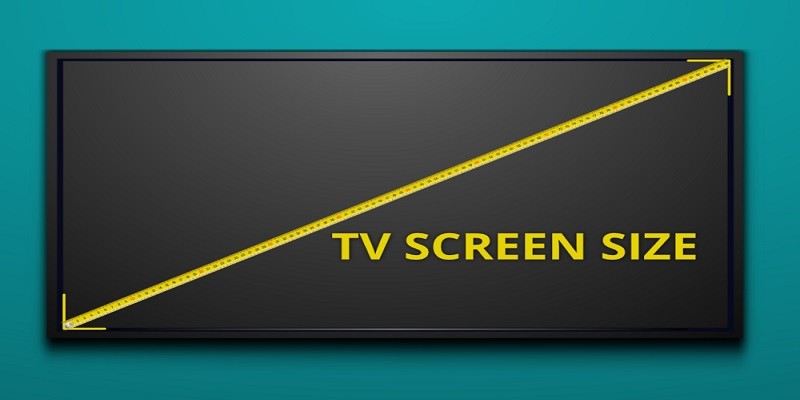
Then check out the height by measuring from top to bottom on either side of the frame. Again, record your measurements in inches or centimeters. The diagonal measurement is determined by measuring from one corner to another across the longest part of your display’s front face (diagonally).
This should give you an exact size for your flat panel TV that can be used when shopping for mounting brackets and other accessories.
How to Measure Your TVs Screen Size?
- Step 1: Gather the necessary tools for measuring a flat panel TV, such as a tape measure, level and pencil.
- Step 2: Place the TV stand on a flat surface with an even height. If using wall mounting hardware, be sure to follow instructions provided by the manufacturer when attaching it to the wall.
- Step 3: Measure from one side of the stand to another, making sure that you are including any additional space needed for cords and cables in your measurements. This measurement will give you your overall width of the unit (including stand).
- Step 4: Measure from floor or table top to the highest point on top of your TV (including stand). This will give you an estimate of how tall it is when placed in its intended area.
- Step 5: Turn off all power sources connected to your television before moving onto step 6 so that no electrical shock occurs while handling components during this process.
- Step 6 : Take out any removable parts such as screws or brackets which may have been included with your purchase and set them aside until after measuring is complete.
- Step 7 : From here , measure each individual component separately if possible. For example , measure both sides of any speaker stands attached to the base unit separately from their main body.
How to Measure a 32 Inch Tv?
Measuring a 32 inch TV is not difficult and can easily be done at home. To begin, measure the diagonal length of your television from corner to corner in inches or centimeters. The number you get should be equal to or greater than 32.
If it is larger than 32, then your TV is bigger than 32 inches; if it’s smaller, then you may have an issue with incorrect measurements. Additionally, consider measuring the width and height of the screen so that you know exactly how much space it will take up in its final location.
How to Measure a Tv Without a Tape Measure?
Measuring a TV without a tape measure is possible with simple household items. Start by gathering two pieces of string or ribbon, each about 10 to 12 inches in length. Then lay the strings out on the floor and place your TV on top of them so that one string runs along the width of the screen and one along its height.
Mark where the strings meet at either end, then measure the length between those two points using a ruler to determine your television’s dimensions.
How to Measure a Tv for a Wall Mount?
Measuring your TV for a wall mount is an important step in properly installing your television. To start, you’ll need to know the distance between the mounting holes on the back of your TV. Measure from left to right and top to bottom, then use these measurements when selecting the appropriate size wall mount for your television.
Additionally, you should measure the depth of your TV so that it can be mounted at least 2” away from a wall or other surface. Finally, make sure to check that any cords or cables attached to your TV are long enough so they won’t be stretched too tightly when mounted on the wall.
How to Check Tv Size?
When shopping for a new television, it is important to understand the size of the TV in relation to the room where it will be placed. To check TV size, measure the length and width of the screen (in inches) from corner to corner. This measurement will give you an idea of how large or small your TV is compared to other sizes available on the market.
Additionally, many manufacturers list their product dimensions on their website or include them in product descriptions when purchasing online. Knowing your desired TV size ahead of time can help you make an informed decision about what model and brand best suits your needs.
Tv Size Calculator
A TV size calculator is a great way to save time when shopping for a new television. It can quickly and accurately determine what size of television will best suit your room, based on the viewing distance you provide. This tool allows you to select from different brands and models so that you can find the perfect size for your living space without having to measure it yourself.

Credit: www.crutchfield.com
How Do You Measure a 55 Inch Tv?
Measuring a 55 inch TV is relatively simple. First, you need to measure the diagonal width of the television set from one corner of the screen to its opposite corner. This measurement should be done in inches and will determine whether or not your TV is truly a 55 inch model.
If the measurement falls between 54.6 inches and 56 inches then it can be considered as a 55 inch television set. In addition, you may also want to measure the height and width of your TV’s display area since some manufacturers label their TVs by the size of their screens rather than by their actual diagonal measurements.
How Wide is a 52 Inch Flat Screen Tv?
A 52 inch flat screen TV is approximately 45.3 inches wide when measured diagonally across the display. This measurement includes the frame of the television, so if you are looking to fit a specific space, be sure to also measure for any additional space or brackets needed for mounting or installation. Additionally, many TVs come in varying sizes within their stated range; therefore it is important to make sure you check the exact dimensions before purchasing your device.
How Do You Measure a 65 Inch Flat Screen Tv?
Measuring a 65 inch flat screen TV is relatively simple, but it’s important that you measure accurately in order to make sure the television will fit where you intend it to go. To start, use a measuring tape or ruler and measure the width of the TV from left to right along its diagonal line. This should give you an accurate measurement of 65 inches (or 165 cm).
You can also measure the height by starting at the bottom-most point of the television and measuring up vertically; this should also be around 65 inches (or 165 cm). Finally, check how thick your current wall mount bracket is – if it’s thicker than 3cm then you may need to purchase a different wall mount as some TVs do not accommodate larger mounting brackets.
How Do You Measure a 70 Inch Flat Screen Tv?
Measuring a 70 inch flat screen TV is relatively easy. First, measure the width of the TV by placing your measuring tape at one corner and stretching it diagonally across to the opposite corner. The length should be roughly 70 inches (178 cm) from corner to corner.
Then measure the height of the TV in a similar fashion, beginning at one top corner and ending at the bottom diagonal corner. The height should also be approximately 70 inches (178 cm). Finally, if you have wall mounts for your TV make sure they are installed properly as well so that when you hang up your flat screen TV it will fit securely on your wall without any gaps or overhangs.
Conclusion
Measuring a flat panel TV is an easy process that requires only a few simple steps. With the right tools, you can accurately measure and determine the size of your current or future flat panel TV. Knowing this information ahead of time can help you decide on which model to purchase and ensure it will fit perfectly in the allotted space.
Measurement accuracy is key when selecting your desired television, so make sure to take care during each step of the measuring process.
About the Author Jim C.
Jim C. Clark is the lead tech blogger at TechnoHacks.net, where he delivers insightful content across a wide range of digital topics. With a keen interest in emerging technology and practical tools, Jim writes in-depth articles on AI, Python, software, and the latest apps. He also shares expert advice on freelancing, digital marketing, SEO, and business growth strategies. Known for his clear, engaging writing style, Jim breaks down complex concepts into actionable insights. Whether he's recommending the best free tools 🧰 or explaining “how to” guides, Jim’s goal is to empower readers with the knowledge they need to thrive in the digital world.