

- You are here:
- Home »
- Technology »
- Older MacBook Pro Models are Being Bricked by macOS Big Sur Update
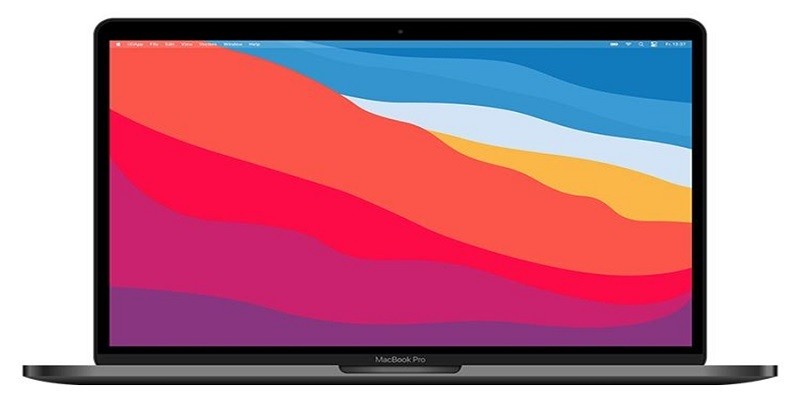
Older MacBook Pro Models are Being Bricked by macOS Big Sur Update
Last Updated on May 5, 2025 by Jim C.
The macOS Big Sur update released by Apple created a flutter of excitement, but for all the wrong reasons. People who own older models of MacBook Pro are experiencing a lot of problems after they have installed the Big Sur update. A huge number of owners have reported that their device is bricked after the update.
According to Apple Support threads and community forums, the issue seems to be mainly affecting late 2013 and 2014 Mac models. However, a few Mac users have also reported facing similar issues on their 2019 MacBook Pro model and even iMac.
Mac users are claiming that after they’re installing the update, their device is getting stuck on a black screen and there’s no means to advance. This is putting them in a tight spot, especially because safe mode, SMC, NVRAM/PRAM, Internet recovery, and also key resets are all inaccessible.
Since the cases of old Mac owners being in despair is overwhelming, you are recommended not to update to Big Sur if your computer is an older model (2019 and below). It is not worth running the risk of having your computer bricked up by this new update. You need to hold off the update for as long as possible.
What is the Big Sur update?
The Big Sur is the next major desktop operating system of Apple. It seems to be the heir apparent to macOS X (read 10), and therefore, the Big Sur is also referred to as the official version 11. It includes amazing design updates, along with condensed ways to get notifications and also access system controls.
The update also includes new features for monitoring if any of your passwords have been leaked or compromised in a data breach, searching your Mac for files and content, translating web pages automatically, and protecting your privacy while you are browsing the Internet.
When it comes to Apple machines, it is always an interesting question – how old a machine can you update to the latest OS? Apple will always answer – a long time. This is why a lot of Mac users didn’t know what they were about to witness when they updated their systems to Big Sur. Most of them were left with an unresponsive computer displaying a picture on the screen of a circle with a line through it.
But, these issues were only known after the older Mac models were upgraded. So, you might have done what everyone else did – went ahead and updated your computer.
However, if you’ve noticed that an error occurred installing macOS Big Sur and you still went ahead with it, and now your system has been grounded, you can take help from Apple’s recently released support document. This document shows how Mac users can recover their system and reverse by bricked by Big Sur update.
Steps to recover your Mac from the Big Sur update
The following instructions have been issued by Apple and they should help you to reverse the damage done to your computer after you updated to Big Sur.
- Instead of looking at a black screen or staring at an unresponsive computer, you need to hold down the power button for 10 seconds or more and then release it.
- All your external devices must be unplugged, which includes your monitor and hard disk. Also, if there’s any memory card on your computer, remove that too. After that, you can switch on your computer.
These two steps should solve your problem. If it doesn’t, you can go to step 3 –
- You have to reset the SMC. The steps for resetting the SMC differ for computers with the T2 chip, notebooks with a non-removable battery, and notebook computers with a removable battery. You can see Apple Support instructions for whatever Mac you’re using. As the SMC is responsible for behaviors relating to power, battery & charging, sensors, and so on, resetting it should solve the issue.
- If resetting the SMC doesn’t solve your problem, the next step is to reset the NVRAM/PRAM. To reset, you have to first shut down your system. Then, turn it on and press and hold these four keys immediately – Option + Command + P + R. After 20 seconds, you can release all 4 keys. During this time, your computer may appear to restart. If your Mac computer plays a startup sound, you can release the keys after you’ve heard the 2nd startup sound. If your computer shows the Apple logo, you can release the keys after the logo has disappeared for the 2nd time.
Hopefully, this will help you to get back on track with your Mac. But, if none of these fixes help, you might want to call the service center professionals.
Read More
About the Author Jim C.
Jim C. Clark is the lead tech blogger at TechnoHacks.net, where he delivers insightful content across a wide range of digital topics. With a keen interest in emerging technology and practical tools, Jim writes in-depth articles on AI, Python, software, and the latest apps. He also shares expert advice on freelancing, digital marketing, SEO, and business growth strategies. Known for his clear, engaging writing style, Jim breaks down complex concepts into actionable insights. Whether he's recommending the best free tools 🧰 or explaining “how to” guides, Jim’s goal is to empower readers with the knowledge they need to thrive in the digital world.
Related Posts
23 Oct, 2026Advantis Technologies Leisure Time Complete Bromine Spa Care Kit
22 Oct, 2026A Better World Spirituality and Technology Advancement Scholarship
22 Oct, 2026220W 12V Monocrystalline Solar Panels W/ 10Busbar Technology -Newpowa
21 Oct, 2026Toyota Bz4x Technology Features for Tacoma Drivers