

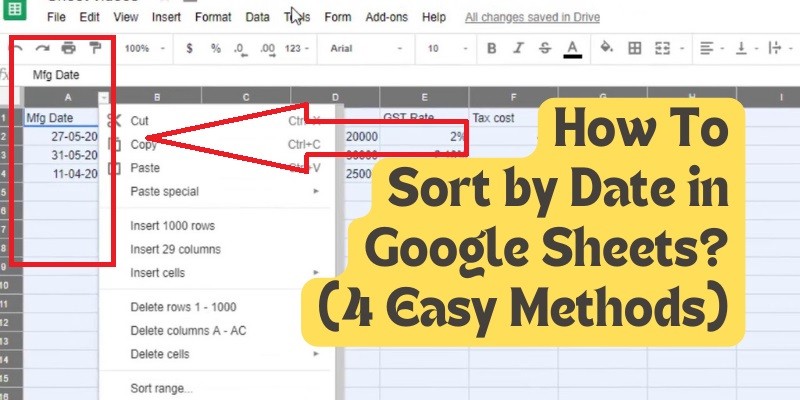
How To Sort by Date in Google Sheets? (4 Easy Methods)
Last Updated on May 5, 2025 by Jim C.
Google Sheets is a powerful tool for managing and analyzing data. One of the most common tasks users need to perform is sorting data by date. Properly sorted data can make it easier to analyze trends, track progress, and make informed decisions. This guide will walk you through different methods to sort your data by date in Google Sheets, ensuring your information is organized and accessible.
Methods to Sort by Date in Google Sheets
Method 1: Using Filters
- Access your Google Sheet.
- Select the column(s) you want to sort by date.
- Select “Data” from the toolbar and click “Create a Filter”.
- Find and select the filter icon in the top right corner of the header cell.
- Sort A -> Z (oldest to newest) or Sort Z -> A (newest to oldest).
Method 2: Using the SORT Function
The SORT function allows for dynamic sorting, meaning the sorted output will update automatically if the original data changes.
=SORT(range, sort_column, is_ascending)- range: The range you want to sort (e.g., A1:C9).
- sort_column: The column index within your range to sort by.
- is_ascending: TRUE for ascending order, FALSE for descending order.
Method 3: Using the Sort Range Tool
- Access your Google Sheet.
- Highlight the table containing the column you wish to sort by.
- Select “Sort range” from the “Data” menu in the toolbar.
- Select “Advanced range sorting options”.
- Check “Data has a header row” if applicable.
- Choose the column to sort by from the “Sort by” dropdown menu.
- Select ascending or descending order and then click “Sort”.
Method 4: Using the Sort Sheet Option
- Select your cell range (e.g., F3:F18).
- Click on the “Data” tab in the top menu.
- Choose “Sort sheet by column F (A to Z)” for ascending order or “Sort sheet by column F (Z to A)” for descending order.
Pro Tips
- Use Consistent Date Formatting: Ensure all date entries follow a single format to avoid sorting errors.
- Clean Your Data: Remove any special characters, leading/trailing spaces, or unnecessary text from your date entries.
- Convert Text to Dates: Use the
DATEVALUE()function to convert text entries to a recognizable date format. - Fill Blank Cells: Consider filling empty cells with a placeholder date or deleting them before sorting.
- Use Data Validation: Set data validation rules to ensure only valid dates are entered into your column.
Conclusion
Sorting by date in Google Sheets is a powerful tool that streamlines data organization and analysis. By mastering the various sorting methods and best practices outlined in this guide, you can transform your spreadsheets into powerful tools for data exploration and insights. Happy sorting!
FAQs
1. Why can’t I sort by date in Google Sheets?
If the Sort Range option is unavailable or greyed out, it is likely because you have not selected a range. Ensure you have a selected range highlighted.
2. How do I sort by date and keep rows together in sheets?
- Choose the date you want to sort.
- Select the Data option from the main menu bar.
- Select the Sort Range function.
- From the Sort Range dialog box, pick the option “Data has a header row.”
- Press the Sort Button.
3. Can I sort by specific weekdays (e.g., all Mondays)?
Yes, you can sort by specific weekdays by adding a helper column that uses the WEEKDAY() function to extract the day of the week from your date column.
4. What if I have dates and times in the same column? Can I sort based on time as well?
Yes, Google Sheets can sort dates and times in the same column. Ensure the column is formatted correctly to include both date and time.
5. Is there a way to sort by the difference between two dates?
Yes, you can create a helper column that calculates the difference between two dates using a formula like =DATEDIF(start_date, end_date, "unit") and then sort based on that column.
About the Author Jim C.
Jim C. Clark is the lead tech blogger at TechnoHacks.net, where he delivers insightful content across a wide range of digital topics. With a keen interest in emerging technology and practical tools, Jim writes in-depth articles on AI, Python, software, and the latest apps. He also shares expert advice on freelancing, digital marketing, SEO, and business growth strategies. Known for his clear, engaging writing style, Jim breaks down complex concepts into actionable insights. Whether he's recommending the best free tools 🧰 or explaining “how to” guides, Jim’s goal is to empower readers with the knowledge they need to thrive in the digital world.