

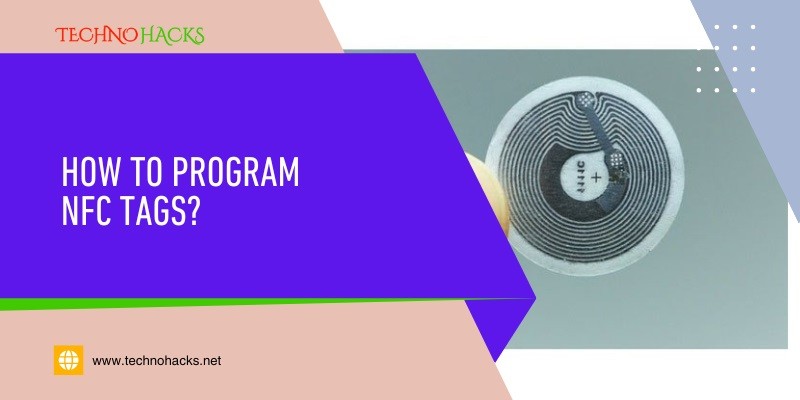
How To Program NFC Tags?
Last Updated on May 5, 2025 by Jim C.
To program NFC tags, use a smartphone with NFC capability and a dedicated NFC app. Open the app, write the desired data, and save it to the tag.
NFC (Near Field Communication) technology allows devices to communicate wirelessly over short distances. Programming NFC tags are useful for automating tasks and sharing information effortlessly. You can store various types of data on NFC tags, such as URLs, contact information, or Wi-Fi credentials.
The process is straightforward and user-friendly, making it accessible to anyone with a smartphone. By using an NFC app, you can quickly write and rewrite data on the tags. This technology enhances convenience and streamlines everyday activities, offering a modern solution for data transfer and automation.
Introduction To NFC Tags
NFC tags are small, wireless devices that use Near Field Communication technology. They can store and transmit data to NFC-enabled devices, such as smartphones and tablets. This technology has made it easier to transfer information quickly and efficiently.
What Are NFC Tags?
NFC stands for Near Field Communication. NFC tags are tiny chips that can store information. These tags can be programmed to perform various tasks when scanned by an NFC-enabled device.
NFC tags can be embedded in different objects, such as stickers, cards, and even keychains. They do not need a power source to work because they use the energy from the scanning device.
Common Uses Of NFC Tags
NFC tags are used in many ways. Here are some common uses:
- Contactless Payments: NFC tags enable quick and secure transactions.
- Smart Posters: Scan a poster to get more information or download an app.
- Access Control: Use NFC tags for secure entry to buildings or rooms.
- Product Information: Scan a tag to get details about a product.
- Smart Home Control: Use tags to control smart home devices.
NFC tags are versatile and can simplify daily tasks. Programming NFC tags is easy and fun. It enhances everyday experiences and automates simple actions.
Choosing The Right NFC Tag
NFC (Near Field Communication) tags are small, programmable chips. They can store and transfer data wirelessly. Choosing the right NFC tag is crucial for your project. This section will guide you through the process.
Types Of NFC Tags
There are several types of NFC tags. Each type has different features and capabilities.
- Type 1: Simple and cost-effective. Ideal for basic tasks.
- Type 2: More memory and faster communication. Suitable for most projects.
- Type 3: High-speed communication. Great for complex applications.
- Type 4: Advanced features with high security. Best for sensitive data.
Factors To Consider
Consider these factors before choosing an NFC tag:
- Memory Capacity: Different tags have different memory sizes.
- Compatibility: Ensure the tag works with your device.
- Range: Some tags have a longer read range.
- Cost: Prices vary based on features and capabilities.
- Durability: Some tags are waterproof or heat-resistant.
Here is a table to summarize the key features:
| Tag Type | Memory Capacity | Speed | Cost |
|---|---|---|---|
| Type 1 | Up to 96 bytes | Low | Low |
| Type 2 | Up to 2 KB | Medium | Medium |
| Type 3 | Up to 1 MB | High | High |
| Type 4 | Up to 32 KB | Very High | Very High |
Choose the right NFC tag based on your project needs.
Necessary Tools And Software
Programming NFC tags can seem daunting at first. With the right tools and software, it becomes easy and fun. This section covers all the necessary tools and software needed to program NFC tags.
Required Hardware
First, let’s discuss the hardware you’ll need. Below are the essential items:
- NFC tags: Small, programmable chips.
- NFC-enabled smartphone: Most modern smartphones have NFC capabilities.
- Computer: Optional, but useful for complex programming.
Popular NFC Programming Apps
Next, you’ll need the right software. Here are some popular NFC programming apps:
| App Name | Platform | Features |
|---|---|---|
| App Name | Platform | Features |
| NFC Tools | Android, iOS | Read and write NFC tags, task automation |
| TagWriter by NXP | Android, iOS | Automate tasks, integrate with other apps |
| Trigger | Android | Automate tasks, integrates with other apps |
Using these tools, you can easily program your NFC tags. Simply follow the app’s instructions and start programming!
Step-by-step Programming Guide
Programming NFC tags is simpler than it sounds. Follow our guide to easily program your NFC tags with any data you need. Below, we break down the process into simple steps.
Preparing Your NFC Tag
Before writing data, ensure your NFC tag is compatible. Use a smartphone or NFC reader to check its status. Make sure it has enough memory for your data.
Next, download an NFC programming app. Apps like NFC Tools or TagWriter are popular choices. Install the app on your smartphone and launch it.
Now, enable the NFC function on your device. Go to your phone’s settings and turn on NFC.
Writing Data To The Tag
Open your NFC programming app. Select the option to write data. Choose the type of data you want to write. Options include a URL, text, or contact info.
Enter the data you want to store on the tag. Double-check for any errors. Hold your NFC tag close to your phone’s NFC sensor. The app will write the data to the tag.
Wait for the confirmation message. Once confirmed, your tag is programmed! Test your tag by scanning it with your phone.
Here is a quick table for reference:
| Step | Action |
|---|---|
| 1 | Check NFC tag compatibility |
| 2 | Open the app and choose the data type |
| 3 | Enable NFC on your phone |
| 4 | Hold the tag close to the phone and write the data |
| 5 | Enter and verify data |
| 6 | Hold the tag close to the phone and write data |
| 7 | Test the programmed tag |
That’s it! Your NFC tag is ready to use.
Testing And Troubleshooting
Testing and troubleshooting are essential steps in programming NFC tags. Ensuring your NFC tags work correctly can save time and frustration.
Verifying Your NFC Tag
After programming your NFC tag, you should verify its functionality. Use an NFC-enabled device to test the tag.
- First, open an NFC reader app on your smartphone.
- Next, bring the NFC tag close to the smartphone.
- Check if the programmed action executes correctly.
If the tag performs the desired action, it’s working fine. Repeat this process with different devices to ensure compatibility.
Common Issues And Fixes
Sometimes, NFC tags don’t work as expected. Here are some common issues and their fixes:
| Issue | Fix |
|---|---|
| Tag not detected | Ensure NFC is enabled on your device. Check the tag’s proximity to the reader. |
| Incorrect action | Double-check the programming steps. Ensure the correct action is set. |
| Tag not writing | Verify if the tag is write-protected. Use another writable tag. |
| Compatibility issues | Test the tag with different devices. Ensure your device supports the NFC tag type. |
These steps can help resolve the most common NFC tag issues. Always check the basics first.
Frequently Asked Questions
What Is An NFC Tag?
An NFC tag is a small chip used to transmit data wirelessly to NFC-enabled devices.
How Do You Program An NFC Tag?
You can program an NFC tag using apps like NFC Tools on your smartphone.
Can I Reprogram An NFC tag?
Yes, most NFC tags are rewritable. Use an NFC app to change the data.
What Devices Can Read NFC Tags?
NFC tags can be read by NFC-enabled smartphones, tablets, and some laptops.
Do NFC tags Need Power?
No, NFC tags are passive and do not require a power source.
What Can You Store On An NFC Tag?
You can store URLs, contact information, text, and small amounts of data on NFC tags.
Conclusion
Programming NFC tags is simpler than it seems. With the right tools, anyone can start creating useful tags. Follow the steps outlined, and you’ll be personalizing NFC tags in no time. This skill can enhance your daily life and streamline many tasks.
Happy programming!
About the Author Jim C.
Jim C. Clark is the lead tech blogger at TechnoHacks.net, where he delivers insightful content across a wide range of digital topics. With a keen interest in emerging technology and practical tools, Jim writes in-depth articles on AI, Python, software, and the latest apps. He also shares expert advice on freelancing, digital marketing, SEO, and business growth strategies. Known for his clear, engaging writing style, Jim breaks down complex concepts into actionable insights. Whether he's recommending the best free tools 🧰 or explaining “how to” guides, Jim’s goal is to empower readers with the knowledge they need to thrive in the digital world.